LifeSaver
A 911 emergency bridge that places real outbound calls and holds live AI-powered dispatcher conversations on behalf of non-English speakers. 1st place overall winner at AI & Data Science for Good hackathon by WatAI & Waterloo Data & Artificial Intelligence Institute.
1. THE PROBLEM
When a Rohingya refugee calls 911, they hear: "911, what's your emergency?" — and have no way to respond.
Existing solutions fail them. Translation apps require the user to speak and the dispatcher to wait. Human interpreters aren't always available. Real emergencies don't wait.
LifeSaver removes the user from the conversation entirely. The app collects the emergency context through a visual interface, then places the call itself — speaking, listening, and responding on the user's behalf for the entire duration.
2. THE INTAKE FLOW
 Suggested image: side-by-side screenshots of the three intake screens — HomeScreen, QuizScreen, BodySelector
No text. No typing. No language required.
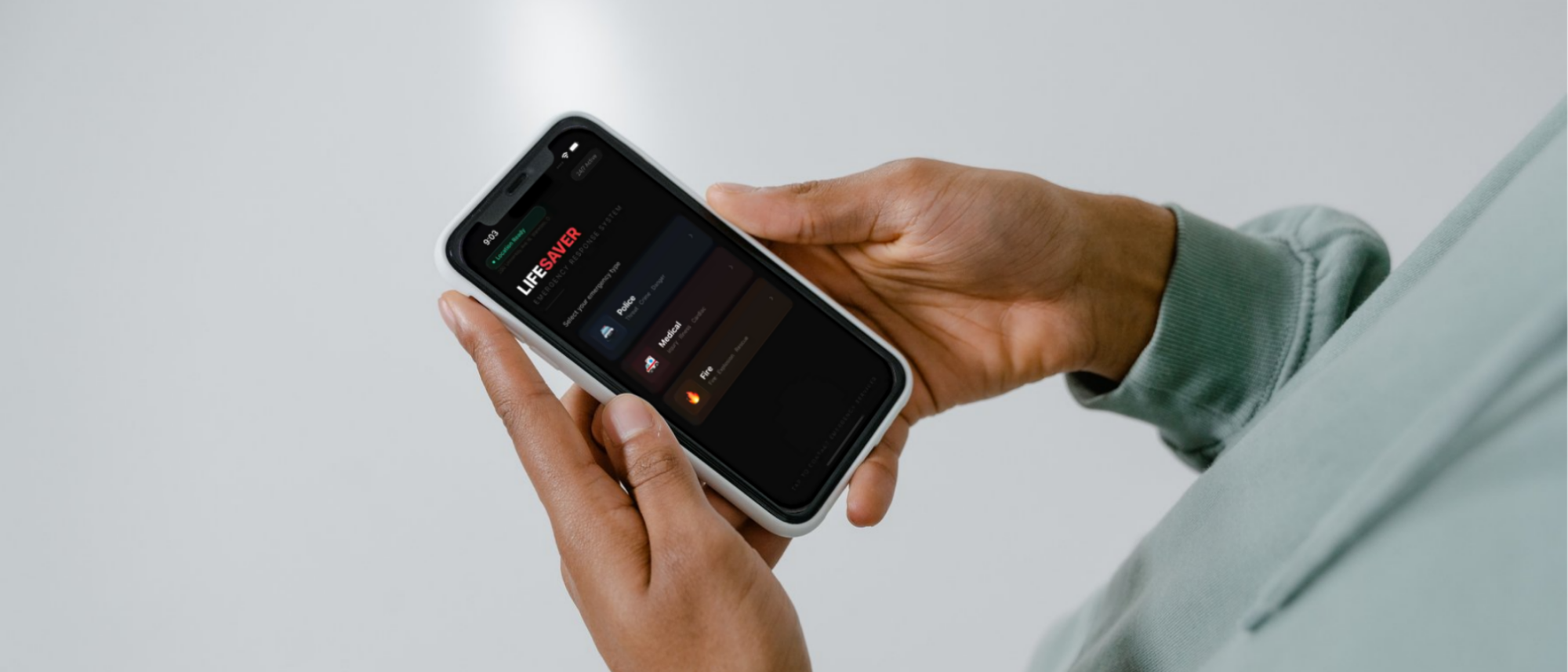
Home screen: Three large icons — Police, Medical, Fire. One tap begins the intake.
Quiz screen: Icon-driven multiple choice. For medical emergencies: consciousness level, breathing status, symptom type. For police/fire: two quick situational questions. Every option is a visual — no words needed to navigate.
Body selector: An interactive SVG body map. The user taps the injured zone (head, torso, limbs), then selects the injury type (bleeding, broken bone, burn, pain). Severity is captured per zone. This structured data becomes the backbone of the AI's opening script to the dispatcher.
The entire intake is designed for a user who cannot read English, cannot speak to a dispatcher, and may be panicking.
3. THE CALL PIPELINE
 Suggested image: the STT → LLM → TTS webhook loop diagram — either a custom flowchart or a screenshot of the CallingScreen UI mid-call
Once intake is complete, the user taps call. What happens next is entirely automated.
Step 1 — Context storage: The frontend sends a POST /api/call to the Express backend, which reverse-geocodes the device's GPS coordinates to a human-readable address via Nominatim (OpenStreetMap), then stores the full emergency context — type, address, injury zones, severities, age, situation — in Supabase keyed by a UUID.
Step 2 — Outbound call: The Twilio client dials 911. When the dispatcher picks up, Twilio hits GET /api/twiml?ctx=<uuid>.
Step 3 — Opening script: The backend retrieves the Supabase context and passes it to Groq (LLaMA 3.1 8B), which generates a natural-language opening statement: the emergency type, the caller's location, and a description of each injury zone and severity. Twilio's <Say> verb speaks it to the dispatcher.
Step 4 — Live conversation loop: Twilio's <Gather> verb listens for the dispatcher's response. Their speech is transcribed and sent to POST /api/respond?ctx=<uuid>. Groq generates an appropriate reply, <Say> speaks it, and <Gather> listens again. This loop runs indefinitely until the call ends.
The dispatcher never knows they aren't talking to a human.
| Route | Caller | Purpose |
|---|---|---|
POST /api/call |
Frontend | Stores context, triggers Twilio dial |
POST /api/geocode |
Frontend | GPS → human-readable address |
GET /api/twiml |
Twilio webhook | Opening script generation |
POST /api/respond |
Twilio webhook | Each turn of the live conversation |
4. TECHNICAL DECISIONS
Why Groq over OpenAI? Latency. A live phone call cannot wait 2–3 seconds per turn. Groq's LPU inference delivers sub-second response times, keeping the conversation natural and uninterrupted.
Why Supabase for context storage? Twilio webhooks are stateless HTTP calls — they carry no memory of the intake data. Supabase acts as the shared state layer between the frontend intake and the backend webhook handlers, keyed by the UUID generated at call initiation.
Why Nominatim? No API key, no rate limit cost, and sufficient accuracy for address-level reverse geocoding. In an emergency app, removing third-party API dependencies reduces failure points.
XML escaping (utils/xml.ts): Groq's output is injected directly into TwiML — Twilio's XML-based call instruction format. Unescaped special characters (&, <, >) would break the XML and silence the call. A dedicated escaping utility sanitizes every Groq response before it touches TwiML.
5. ARCHITECTURE OVERVIEW
lifesaver/
├── src/                          # React frontend (Vite)
│   ├── components/
│   │   ├── HomeScreen.jsx        # Emergency type selection
│   │   ├── QuizScreen.jsx        # Visual symptom questions
│   │   ├── BodySelector.jsx      # Interactive SVG body map
│   │   ├── CallingScreen.jsx     # Live call UI
│   │   └── ConfirmScreen.jsx     # Post-call confirmation
│   └── emergencyQuizLogic.js     # Question config + dispatch phrase builder
├── backend/
│   └── src/
│       ├── routes/
│       │   ├── call.ts           # POST /api/call
│       │   ├── geocode.ts        # POST /api/geocode
│       │   ├── twiml.ts          # Twilio opening script webhook
│       │   └── respond.ts        # Twilio conversation loop webhook
│       ├── services/
│       │   ├── groqService.ts    # LLM script + response generation
│       │   ├── twilioService.ts  # Outbound call placement
│       │   └── supabaseService.ts
│       └── utils/
│           └── xml.ts            # TwiML injection safety
THE REAL STAKES
This isn't a demo. Every component — the Twilio call, the Groq inference, the Supabase context, the GPS geocoding — is a live integration against real services.
In a real emergency, this app places a real call.
The winner of the WatAI hackathon wasn't the most technically complex project in the room. It was the one that took a real, urgent problem — a refugee who cannot speak to 911 — and solved it completely, end to end, in a weekend.